

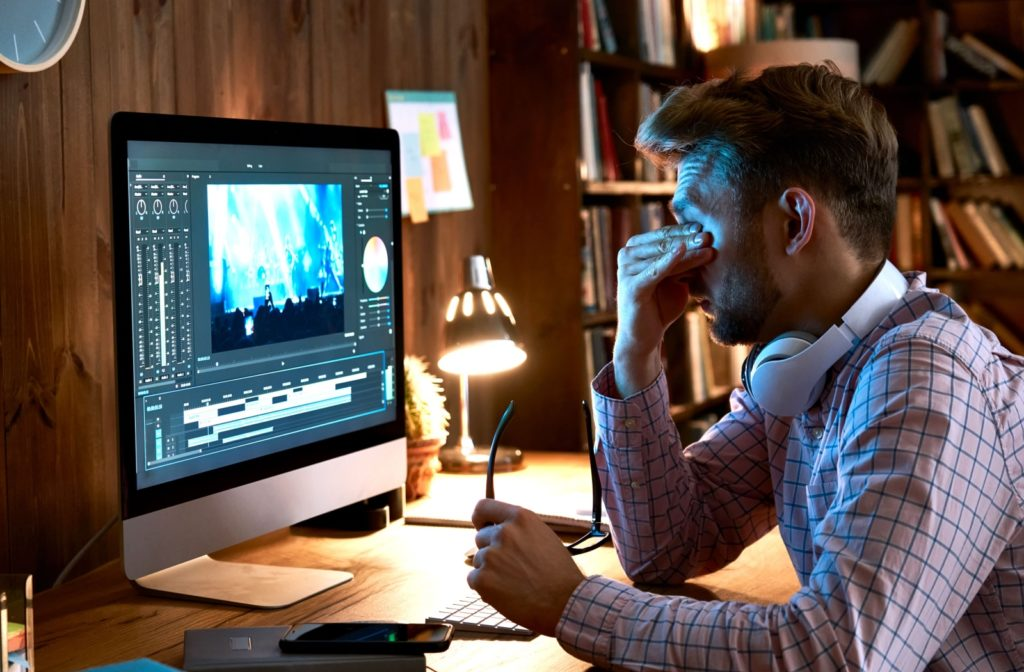

In today’s digital world, most people spend a large part of their day looking at computer screens. Whether it is for work, studying, gaming, or scrolling on social media, screen time has become unavoidable. While technology makes life easier, it also brings some problems, and one of the most common is eye strain.
Eye strain from computer screens is also called digital eye strain or computer vision syndrome. It happens when your eyes get tired from long periods of focusing on screens. The good news is that it is not permanent, and with the right habits, you can reduce it or even prevent it completely.
In this article, we will explain what causes eye strain and share simple, practical, and effective ways to reduce it in everyday life.
What Causes Eye Strain from Screens?
Before learning how to fix the problem, it is important to understand why it happens.
When you look at a computer or mobile screen for too long, your eyes have to work harder than normal. This is because:
- You blink less while staring at screens
- Screen light (especially blue light) can be harsh
- Small text and images force your eyes to focus continuously
- Poor posture or screen distance adds extra pressure
- Long hours without breaks tire the eye muscles
Over time, this leads to symptoms like:
- Dry eyes
- Headaches
- Blurred vision
- Eye discomfort or burning sensation
- Neck and shoulder pain
- Difficulty focusing
Now let’s look at how to reduce these problems in simple ways.
1. Follow the 20-20-20 Rule
One of the easiest and most effective ways to reduce eye strain is the 20-20-20 rule.
It works like this:
Every 20 minutes, look at something 20 feet away for at least 20 seconds.
This helps your eye muscles relax instead of staying fixed on a close screen all the time. It also reduces fatigue and keeps your eyes refreshed.
You can set a reminder on your phone or computer to help you remember.
2. Adjust Screen Brightness and Contrast
Many people use screens that are either too bright or too dim. Both can strain your eyes.
Try these adjustments:
- Match screen brightness with the surrounding light
- Increase text contrast for easier reading
- Avoid glare by adjusting angle or lighting
If your screen looks like a bright lamp in a dark room, it is too bright. If it looks dull and hard to read, it may be too dim.
A balanced brightness makes a big difference.
3. Reduce Blue Light Exposure
Screens emit blue light, which can contribute to eye strain and also disturb sleep.
To reduce its effect:
- Use “Night Mode” or “Blue Light Filter” on devices
- Install blue light filter apps or software
- Reduce screen brightness in the evening
- Avoid screens 1 hour before sleep if possible
This helps your eyes relax and improves sleep quality as well.
4. Keep Proper Screen Distance and Position
Many people sit too close to screens, which forces the eyes to work harder.
Follow these simple guidelines:
- Keep the screen about an arm’s length away
- The top of the screen should be at or slightly below eye level
- Sit straight with relaxed shoulders
- Avoid looking down or leaning forward for long periods
Good posture not only protects your eyes but also prevents neck and back pain.
5. Blink More Often
When we use screens, we naturally blink less. Blinking is important because it keeps your eyes moist and prevents dryness.
Try to:
- Remind yourself to blink regularly
- Take short breaks to close your eyes
- Use artificial tears if your eyes feel dry (if needed)
A simple habit like blinking can reduce irritation significantly.
6. Take Regular Breaks
Working for hours without stopping is one of the biggest reasons for eye strain.
Try to:
- Take a 5–10 minute break every hour
- Stand up, walk around, or stretch
- Look away from screens completely during breaks
These breaks allow your eyes and brain to recover.
7. Improve Lighting in Your Room
Bad lighting makes your eyes work harder.
To improve your environment:
- Avoid using screens in complete darkness
- Use soft, natural lighting if possible
- Reduce glare from windows or lamps
- Position your screen to avoid reflections
A well-lit room reduces pressure on your eyes and improves comfort.
8. Adjust Font Size and Display Settings
If you constantly squint to read text, your eyes will get tired quickly.
Make life easier by:
- Increasing font size
- Using clear, readable fonts
- Zooming in when needed
- Avoiding cluttered screens
The less your eyes struggle to focus, the less strain you will feel.
9. Do Eye Exercises
Eye exercises help relax and strengthen eye muscles.
Try simple exercises like:
- Rolling your eyes slowly in circles
- Focusing on near and far objects alternately
- Closing your eyes for a few seconds
- Palming (covering eyes gently with hands)
Doing this for a few minutes daily can reduce fatigue.
10. Stay Hydrated and Eat Eye-Healthy Foods
Your overall health also affects your eyes.
To support eye health:
- Drink enough water throughout the day
- Eat foods rich in vitamin A, C, and E
- Include carrots, spinach, eggs, and fish in your diet
- Get enough sleep every night
Healthy eyes recover faster from strain.
Final Thoughts
Eye strain from computer screens is very common, but it is also preventable. The key is to build small habits that protect your eyes throughout the day. Simple actions like taking breaks, adjusting screen settings, and improving posture can make a huge difference.
You don’t need expensive tools or complicated treatments. Consistency is what matters most. If you take care of your eyes now, you can avoid serious discomfort in the future and enjoy screen time without pain.
FAQs
1. What are the first signs of eye strain?
The first signs include tired eyes, dryness, mild headaches, and difficulty focusing on the screen.
2. Can eye strain damage my eyes permanently?
No, eye strain from screens does not cause permanent damage, but it can be very uncomfortable if ignored for long periods.
3. How long should I use screens without a break?
It is best to take a short break every 20–30 minutes to rest your eyes.
4. Do blue light glasses really help?
They may help reduce glare and improve comfort for some people, but good screen habits are more important.
5. What is the fastest way to relax tired eyes?
The quickest method is to close your eyes for a few minutes, blink frequently, or follow the 20-20-20 rule.